
Generating B2B leads can become one of the most time-consuming parts of running a sales or marketing campaign.
You need to find the right companies, identify potential customers, collect useful contact information, organize your prospect list, and then reach out to those prospects with relevant messages.
Doing everything manually can take hours.
A better approach is to build an automated lead generation workflow that combines web data collection with cold email outreach.
In this guide, we’ll look at a practical workflow using Apify for lead generation and web data extraction and Smartlead for automated cold email outreach.
The basic process looks like this:
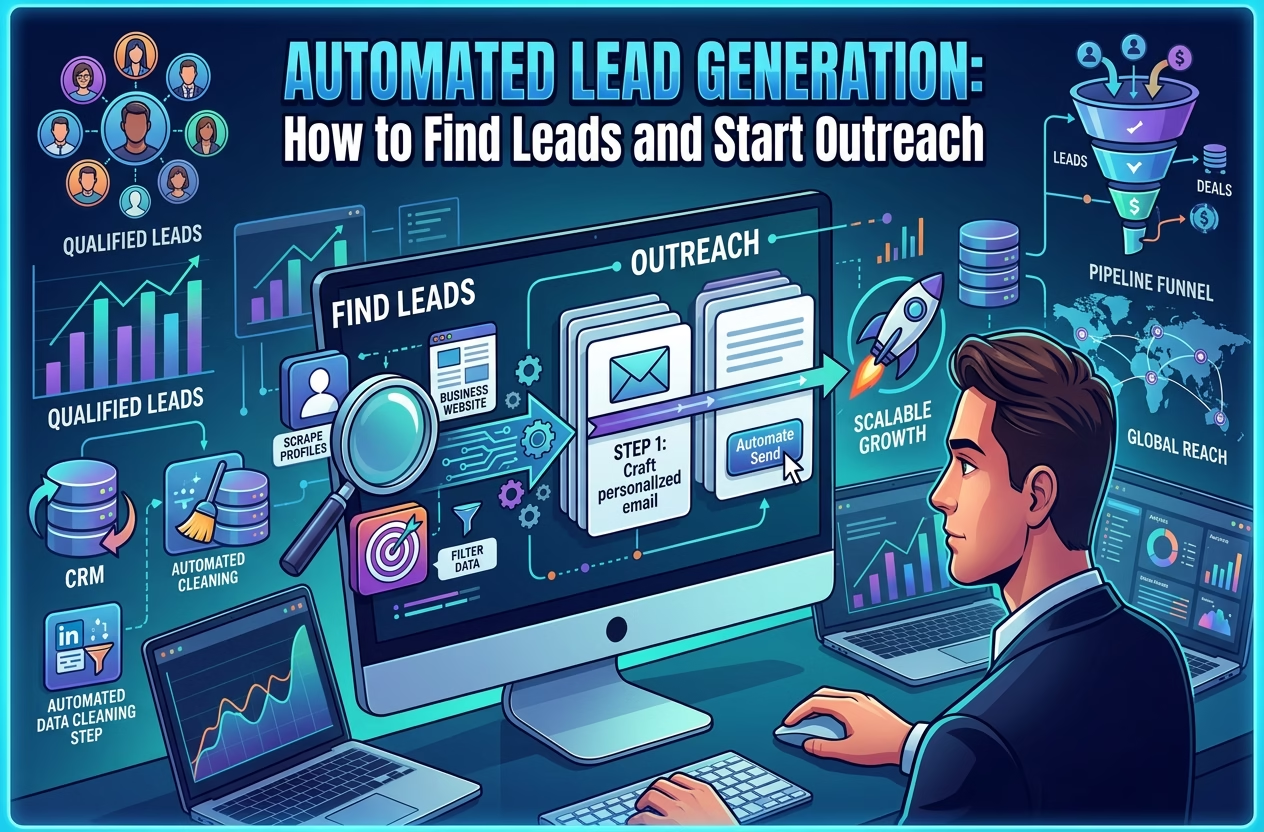
Find prospects → Collect lead data → Organize your prospects → Launch outreach → Follow up → Track responses
What Is an Automated Lead Generation Workflow?
An automated lead generation workflow is a system that reduces the amount of manual work required to find and contact potential customers.
Instead of manually searching Google, copying company information into spreadsheets, finding contact details, and sending individual emails, you can automate different parts of the process.
A typical B2B lead generation workflow can include:
- Defining your ideal customer
- Finding relevant companies
- Collecting company and contact information
- Filtering and organizing prospects
- Creating personalized outreach campaigns
- Sending follow-up emails
- Managing replies and opportunities
The important part is that these don’t necessarily have to be handled by one platform.
You can build a workflow where different tools handle different stages.
Watch the Lead Generation Workflow in Action
If you prefer seeing the process rather than reading about it, watch the video below before continuing.
The video can help you understand the overall concept before setting up your own lead generation system.
Step 1: Define Your Ideal Customer
Before collecting thousands of leads, you need to know which leads you actually want.
This is where many lead generation campaigns go wrong.
More leads don’t automatically mean better results.
For example, suppose you’re selling SEO services to local businesses.
Instead of searching for “businesses,” you could define a much more specific prospect profile:
- Industry: restaurants
- Location: London
- Business type: independent restaurants
- Rating: below a specific threshold
- Website: available
- Contact information: available
- Company size: small to medium
This gives you a much clearer targeting strategy.
The more precise your criteria are, the easier it becomes to build a useful prospect database.
Step 2: Use Apify to Find and Collect Leads
Once you know who you’re targeting, the next challenge is finding those businesses and collecting their information.
This is where Apify can be useful.
Apify provides web scraping and automation tools that can collect publicly available information from different websites and sources.
Its lead-generation use cases include finding B2B leads, collecting contact information, targeting businesses by location and category, and exporting data for use in other systems.
For example, Apify currently provides lead-generation workflows involving sources such as:
- Google Maps
- Google Search
- TikTok
- YouTube
- Booking.com
- Search engine results
The exact Actor you use depends on the type of prospects you’re looking for.
Explore Apify’s lead generation tools
Explore Apify for Lead Generation
Apify’s lead-generation workflow can involve setting targeting criteria, running an Actor, extracting contact information, exporting the results, and then feeding the leads into your sales workflow.
Step 3: Build a Clean Lead List
Collecting data is only half the job.
You also need to turn that data into a usable prospect list.
Depending on your campaign, useful fields might include:
| Lead Data | Example |
|---|---|
| Company | Example Agency |
| Website | example.com |
| Industry | Marketing |
| Location | London |
| Contact Name | John Smith |
| Job Title | Founder |
| john@example.com | |
| Profile URL | |
| Company Size | 10-50 |
| Personalization Data | Recent company activity |
The objective is to create a list where every prospect has enough information to determine whether they are actually relevant.
Apify supports exporting collected data in formats such as CSV and connecting data to other systems through APIs.
That makes it possible to move from web research to an organized prospect database without manually copying every result.
Step 4: Turn Your Lead List Into an Outreach Campaign
Now comes the second part of the workflow.
You have prospects.
But prospects aren’t customers yet.
You need a way to contact them.
This is where Smartlead enters the workflow.
Smartlead is an outbound and cold-email platform designed to help users create campaigns, manage sending infrastructure, automate follow-ups, and manage replies. Its current platform also includes lead-generation functionality through SmartProspect.
Explore Smartlead
Try Smartlead for Your Outreach Workflow
You can upload a lead list and build a multi-step email campaign around it. Smartlead’s campaign workflow supports importing leads, creating sequences, configuring sending settings, and automating follow-ups.
Step 5: Personalize Your Cold Emails
One of the biggest differences between a useful outreach campaign and a generic spam campaign is relevance.
Instead of sending:
“Hi, we offer marketing services. Would you like to learn more?”
you can use information collected during your prospecting process.
For example:
Hi John,
I noticed that your agency works with ecommerce brands and recently expanded your service offering. We help agencies generate additional qualified prospects without increasing manual prospecting time.
The information you collect during lead generation can therefore become the foundation for personalization.
For example:
Lead data
Company: ABC Marketing
Industry: Digital Marketing
Location: Manchester
Website: abcmarketing.com
can become:
Personalization
“I noticed ABC Marketing works with ecommerce businesses in Manchester…”
That small difference can make your outreach feel much more relevant.
Step 6: Automate Follow-Ups
Another advantage of an automated outreach system is that you don’t have to remember to manually follow up with every prospect.
A campaign could look something like:
Email 1
Introduce yourself and explain the reason for contacting the prospect.
Follow-up 1
Send a short follow-up a few days later.
Follow-up 2
Provide an additional piece of information or a different angle.
Follow-up 3
Close the sequence politely if there is no response.
Smartlead supports multi-step sequences and automated follow-ups as part of its campaign workflow.
The goal isn’t simply to send more emails.
The goal is to create a repeatable process for relevant outreach.
Apify + Smartlead: A Complete Lead Generation Workflow
The real value comes from combining the two stages.
Think of the workflow as two connected machines.
Machine 1: Prospecting
→ Find relevant websites and businesses
→ Collect business information
→ Extract available contact details
→ Filter prospects
→ Export the data
Machine 2: Outreach
→ Import prospects
→ Create email sequences
→ Personalize campaigns
→ Send emails
→ Automate follow-ups
→ Manage replies
This creates a simple pipeline:
Web → Lead Data → Prospect List → Cold Email → Follow-Up → Conversation
That is much more scalable than manually searching for companies and emailing each prospect individually.
Can You Use Apify and Smartlead Together?
Yes.
They solve different parts of the lead-generation process.
Apify is particularly useful when you need to collect or automate web data.
Smartlead is particularly useful when you need to turn prospect lists into structured outbound campaigns.
This distinction is important because lead generation isn’t just about finding email addresses.
You need both:
Data + Outreach
Without data, you have nobody to contact.
Without outreach, your database simply becomes another spreadsheet sitting on your computer.
An Example: Finding Local Business Leads
Let’s say you’re running a web design agency and want to find local businesses that could benefit from a new website.
You could create a workflow like this:
1. Choose a market
For example:
Dentists in Birmingham
2. Collect businesses
Use an appropriate Apify Actor to collect relevant business information.
3. Filter your prospects
You could prioritize businesses based on criteria such as:
- Location
- Industry
- Website availability
- Business size
- Rating
- Other publicly available information
4. Prepare your prospect list
Organize the information into a structured database or CSV.
5. Create your outreach campaign
Import the prospects into Smartlead.
6. Personalize the campaign
Reference the business, location, website, or another relevant data point.
7. Automate follow-ups
Create a sequence rather than sending every follow-up manually.
8. Handle replies
Once prospects respond, move the conversation into your normal sales process.
The result is a repeatable local lead generation workflow.
What About Smartlead’s Built-In Lead Generation?
There’s another interesting option.
Smartlead itself now includes SmartProspect, which provides access to a large database of business profiles and allows users to search, verify, and push leads directly into campaigns.
So you don’t necessarily need to build every prospecting workflow from scratch.
However, external web-data collection can still be useful when you need a specific source, niche, geographic dataset, or custom scraping workflow.
This is where the two approaches can complement each other.
When Should You Use Apify?
Apify can make sense when your lead-generation strategy depends heavily on web data.
For example:
- Finding local businesses
- Collecting information from search results
- Building niche prospect databases
- Monitoring websites
- Collecting publicly available business information
- Automating repetitive web research
- Creating custom lead-generation workflows
Apify’s current lead-generation offering includes tools for geographic targeting, contact information collection, filtering, exporting, and CRM integration.
Try Apify for Lead Generation
Start Exploring Apify Lead Generation
When Should You Use Smartlead?
Smartlead becomes useful when you already have prospects and want to create a structured outbound process.
It can help with:
- Cold email campaigns
- Multi-step sequences
- Automated follow-ups
- Lead imports
- Sending infrastructure
- Deliverability testing
- Reply management
- Sales pipeline management
Smartlead’s current platform also combines prospecting, campaign creation, deliverability tools, inbox management, and deal tracking.
Try Smartlead
Explore Smartlead for Cold Email Outreach
The Bigger Picture: From Scraping to Sales
The interesting thing about modern lead generation is that the individual tools are only pieces of a larger system.
You can think about your workflow in four layers:
Layer 1: Discovery
Find potential companies and prospects.
Tools: Search engines, directories, social platforms, business databases
Layer 2: Data Collection
Collect and structure useful information.
Tool: Apify
Layer 3: Outreach
Turn your prospect list into an organized communication campaign.
Tool: Smartlead
Layer 4: Sales
Handle replies, qualify opportunities, schedule meetings, and close customers.
Your sales process
The technology handles much of the repetitive work.
You handle the parts that require judgment.
Don’t Confuse Automation With Quantity
It’s tempting to think that the goal of automated lead generation is to produce as many leads and emails as possible.
That’s usually the wrong metric to focus on.
A database containing 50,000 irrelevant contacts isn’t necessarily more useful than a carefully targeted list of 500 prospects.
The better question is:
Can I consistently find the right prospects and reach them with a relevant message?
That is where automation becomes valuable.
The objective isn’t to build the world’s largest spreadsheet.
It’s to build a repeatable pipeline of relevant prospects.
Final Thoughts
A modern B2B lead generation system doesn’t have to be complicated.
A practical workflow can be built around three simple stages:
1. Find the right prospects.
Use web data and lead-generation tools such as Apify to discover and collect relevant business information.
2. Organize the data.
Clean, filter, and structure your prospect list so you’re working with relevant leads.
3. Start personalized outreach.
Use a platform such as Smartlead to create campaigns, automate follow-ups, and manage conversations.
The combination creates a powerful workflow:
Prospecting → Data Collection → Lead Qualification → Cold Email → Follow-Up → Sales
If you’re looking to automate the prospecting side, you can explore Apify’s lead-generation tools here:
And if you already have a prospect list and want to automate your cold-email outreach: