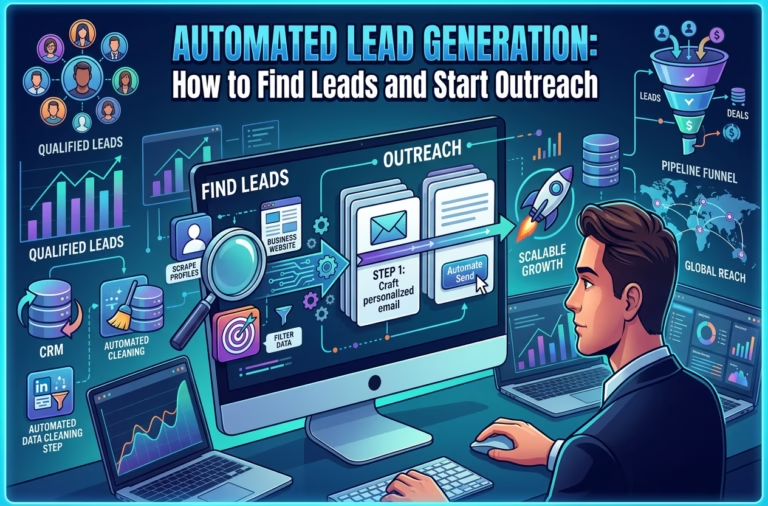


Web scraping is one of the most profitable skills a freelancer can learn today — and the best part is, you don’t need to code. With the right web scraping tool, you can extract data from almost any website in minutes.
This tutorial shows you exactly how to do it, step by step.
Step 1 — Install Your Web Scraping Tool
Any good scraping tool should offer:
- a built-in browser
- point-and-click extraction
- automatic pattern detection
- export to Excel/CSV
- scheduled runs
- cloud extraction
Step 2 — Open a Website Inside the Tool
Most web scraping tools include an internal browser where you load the website you want to scrape.
Example target pages:
- product listings
- hotel prices
- job postings
- real-estate listings
- business directories
Step 3 — Click Elements to Auto-Detect the Data
This is where the magic happens.
- Hover your mouse over a product title, price, or any data you want.
- Click it.
- The tool detects the pattern and highlights all similar elements on the page.
Usually the tool automatically extracts:
- titles
- prices
- links
- images
- ratings
- seller names
If not, you can manually select them by clicking.
Step 4 — Add More Fields to Your Dataset
To extract additional data:
- click the price
- click the image
- click the rating
- click the product URL
Each time, the tool adds a new column to your dataset.
Step 5 — Set Pagination (Go Through All Pages Automatically)
To scrape multiple pages:
- Click the Next Page button on the website.
- The tool detects it as a pagination element.
- Activate the “Loop through pages” option.
Now the tool will automatically visit:
Page 1 → Page 2 → Page 3 → … → until the last page.
Step 6 — Run the Extraction
Once your task is ready:
- click Run
- choose Local Run or Cloud Run
Cloud run is better for:
- large websites
- long scraping sessions
- scraping while your laptop is off
Step 7 — Export Your Data (Excel, CSV, Google Sheets, API)
When the task finishes, the tool generates a clean dataset.
You can export it as:
- Excel (.xlsx)
- CSV
- JSON
- Google Sheets
- API connection
Step 8 — Use the Data for Freelance Projects
Now that you can scrape data, you can offer high-value services such as:
✔ Lead generation
Collect emails (when legally allowed), business names, social links.
✔ Market research
Extract product lists, hotel prices, job vacancies, rental listings.
✔ Competitor monitoring
Track price changes, new product arrivals, stock levels.
✔ SEO & content research
Scrape keywords, titles, article structures, metadata.
✔ Real-estate data
Scrape listings, prices, locations, agent contacts.
✔ eCommerce analysis
Build product comparison spreadsheets for clients.
Each dataset you deliver is a real service you can sell.
Step 9 — Automate Your Tasks (Weekly or Daily Updates)
Most professional tools allow you to schedule automatic updates:
- Daily price monitoring
- Weekly new listing reports
- Monthly trend analysis
This helps you create recurring freelance income.
Step 10 — Deliver Clean, Professional Reports
Freelancers who succeed with scraping don’t just deliver raw data — they deliver easy-to-read, organized files.
Before sending data to a client:
- remove duplicates
- sort columns
- add a clean title
- include a small “data summary”
- color-code important fields
Clients love this.
Final Thoughts
Learning how to use a web scraping tool is one of the fastest ways to:
- stand out as a freelancer
- complete tasks faster
- offer high-value services
- earn recurring income
- work smarter, not harder
And the best part?
You don’t need coding skills to start.